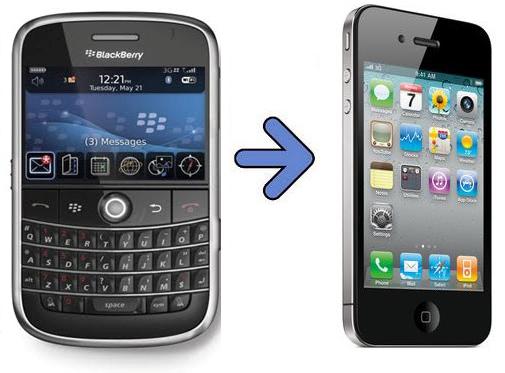
There are 2 ways to migrate your PIN contacts from your Blackberry device to your iPhone:
1. Migrate Automatically
2. Migrate Manually
How are we going to do it? Here it is...
1. Migrate Automatically
This step, migrate your PIN contacts automatically to your BBM for iPhone only works for newer generation of Blackberry device, from BB OS7 and up (please do correct me if wrong).Because starting from OS7, BlackBerry (it was RIM), force us to create a BlackBerry ID and sign in with the BlackBerry ID when first time setup the BlackBerry OS7 device.
And later I found out that using this BlackBerry ID, I can easily migrate to a new device whenever I need to switch device.
And this way - using BlackBerry ID to easily migrate PIN contacts - is also working when you move from your BlackBerry device to use BBM application on iPhone (or any other iOS device).
Steps needed:
1. Make sure on your current BlackBerry device, you had your BlackBerry ID signed in2. Install BBM for iPhone (or any other iOS device)
3. When configuring the BBM app for the first time, and asked to key in your BlackBerry ID, use your existing BlackBerry ID that is used in your BlackBerry device
4. Voila! When the configuration screen is gone, all your contacts is moved and migrated magically to your iPhone.
5. Done!
And then what happen to your old BlackBerry device, can it still be used? Can you have both contacts on both BlackBerry device as well as your iPhone?
Yes of course you can still use your BlackBerry device, RIM (now BlackBerry) will not just kill the device after you migrate to iPhone. But you will no longer have your existing contact there on your BlackBerry device.
Based on my test, you can only sign in using your BlackBerry ID once at a time.
Which means that you can't have both your contacts on your BlackBerry device as well as your iPhone, unless you do the 2nd step, which is to migrate the contacts manually.
So if after you signed in your BlackBerry ID to your iPhone and then sign it back to your BlackBerry Device, then your BlackBerry ID in your iPhone will be rendered offline and you can't use it to chat with your BBM contacts and vice versa.
So the point here is:
1. to migrate automatically and easily, you must have a BlackBerry ID2. A BlackBerry ID can only signed in on 1 device at a time

2. Migrate Manually
This step, migrate manually is basically re-inviting all your PIN contacts to your new PIN in your iPhone by either scan the barcode or key in their PIN one by one.If you have only a few contacts, or if you want to have your PIN contacts on both of your device or if you are using BB OS6 and below, you can use this manual way to migrate your contacts.
Steps needed:
1. Open your PIN contacts. and show the the PIN
2. On your iPhone, you can either Add by PIN or Add by Scan Barcode
3. If you choose Add by PIN, then key in the PIN and then Send the invitation, if you choose Add by Scan Barcode, scan the PIN barcode and then Send the invitation.
4. Wait for your contacts to accept you. Notify them if you are sending invitation from your new PIN
5. Do step 1 to 4 for the rest of your contacts
6. Voila! Now you have your contacts both on your BlackBerry device as well as your iPhone

Do let me know if you are having difficulties migrating your contacts.


